
Images are everywhere in today’s digital world. From scanned documents and handwritten notes to screenshots, receipts, and photographed books, a huge amount of information exists in image format. However, extracting and editing text from images manually can be time-consuming and frustrating.
This is where an image to text converter becomes useful. It allows users to extract readable, editable text from images within seconds. Whether you are a student, researcher, business professional, or content creator, image-to-text technology helps save time and improve productivity.
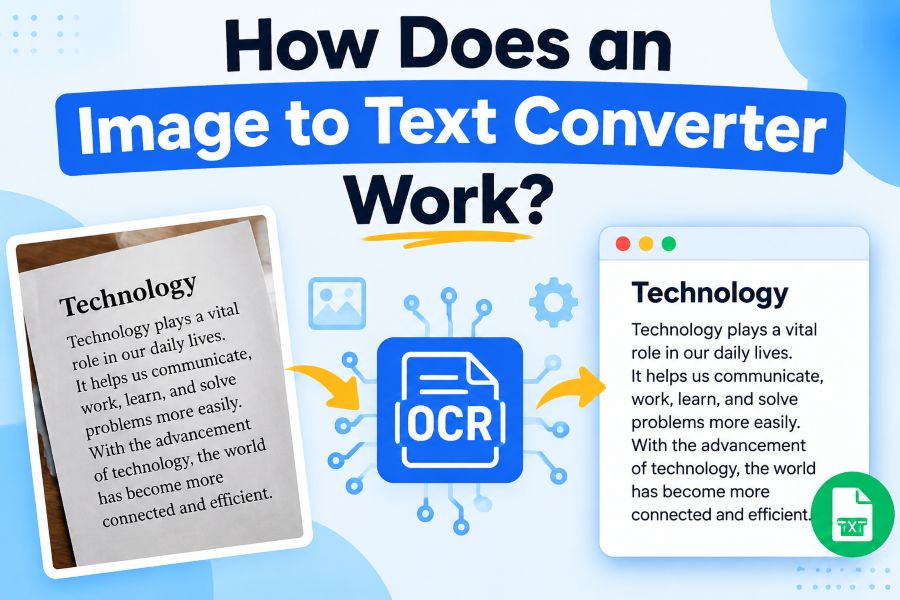
But how does an image to text converter work? The answer lies in a technology called Optical Character Recognition (OCR), which uses artificial intelligence, machine learning, and advanced image processing to identify characters inside images and convert them into digital text.
In this guide, we will explain how image to text converters work, the technology behind them, their benefits, use cases, accuracy factors, and future improvements.
What Is an Image to Text Converter?
An image to text converter is an online or software-based tool that extracts text from images and converts it into editable digital content.
Instead of manually typing text from an image, users can upload a picture containing words, and the converter automatically recognizes the characters and transforms them into plain text.
For example, an image-to-text converter can extract text from:
- Scanned documents
- Screenshots
- Printed books
- Handwritten notes
- Business cards
- Receipts and invoices
- Newspaper articles
- Forms and reports
- Whiteboard images
- PDFs containing scanned pages
The extracted text can then be copied, edited, searched, stored, or shared.
The main technology behind these tools is OCR (Optical Character Recognition).
What Is OCR and How Does It Work?
OCR stands for Optical Character Recognition. It is a technology that enables computers to identify and understand text inside images.
Traditional computers only see images as collections of pixels. They cannot automatically understand that a group of pixels represents letters, numbers, or words.
OCR solves this problem by analyzing image patterns and converting them into machine-readable text.
Modern OCR systems use:
- Image processing algorithms
- Artificial intelligence
- Machine learning models
- Deep learning neural networks
- Natural language processing
These technologies work together to recognize text accurately, even when images have different fonts, sizes, layouts, or languages
Step-by-Step Process: How Does an Image to Text Converter Work?
An image-to-text converter follows several steps to extract information from an image.
1. Uploading and Preparing the Image
The process begins when a user uploads an image to the converter.
The image may come from:
- A smartphone camera
- A scanner
- A screenshot
- A downloaded file
- A PDF document
Before recognizing text, the system analyzes the image quality and prepares it for processing.
This stage is called image preprocessing.
2. Image Preprocessing
Image preprocessing improves the quality of the image so OCR can recognize characters more accurately.
During this stage, the converter may perform several operations:
Noise Removal
Images often contain unwanted elements such as:
- Shadows
- Blurry areas
- Background patterns
- Camera noise
The system removes these distractions to make text clearer.
Image Enhancement
The converter improves:
- Brightness
- Contrast
- Sharpness
This helps separate text from the background.
Rotation Correction
If the image is tilted, OCR accuracy may decrease.
The system detects the angle of the text and automatically rotates the image into the correct position.
Grayscale Conversion
Many OCR systems convert colored images into grayscale because it makes character detection easier.
Instead of analyzing multiple colors, the system focuses on light and dark areas where text appears.
3. Text Detection
After improving the image, the OCR system identifies areas where text exists.
This step answers the question:
“Where is the text located inside this image?”
The system detects:
- Text blocks
- Paragraphs
- Lines
- Individual characters
For example, if you upload a restaurant receipt, the OCR system separates the:
- Restaurant name
- Item list
- Prices
- Total amount
from other visual elements.
Modern AI-based OCR models can recognize complex layouts with multiple columns, tables, and different text sizes.
4. Character Recognition
This is the most important stage of the image-to-text conversion process.
The OCR engine examines each detected character and compares it with learned patterns.
For example, the system analyzes whether a shape represents:
- Letter “A”
- Number “4”
- Letter “O”
- Number “0”
Machine learning models are trained on millions of examples of text images. This allows them to recognize characters even when they appear in different styles.
For example:
A handwritten letter may look different from a printed letter, but AI models can still understand that both represent the same character.
5. Text Conversion
Once characters are recognized, the OCR engine converts them into digital text.
The output becomes:
- Editable text
- Searchable content
- Copyable information
For example:
Image:
Invoice #2548
Total Amount: $150
Converted text:
Invoice #2548
Total Amount: $150
Users can now modify, save, or reuse the extracted information.
6. Text Verification and Accuracy Improvement
Advanced image-to-text converters do not stop after recognizing characters.
They use additional AI techniques to improve accuracy.
These systems check:
- Grammar patterns
- Word probability
- Sentence structure
- Common spelling
For example, if OCR detects:
“Th1s is a test”
AI models can understand that the correct text is likely:
“This is a test”
This process is supported by Natural Language Processing (NLP).
How Artificial Intelligence Improves Image to Text Conversion
Modern OCR tools are much more advanced than traditional OCR systems.
Older OCR technology depended mainly on fixed character patterns. It struggled with:
- Different fonts
- Poor image quality
- Handwriting
- Complex layouts
AI-powered OCR uses deep learning models that continuously improve recognition ability.
Machine Learning Training
AI models learn from large datasets containing:
- Millions of text images
- Different languages
- Various handwriting styles
- Multiple document formats
The more examples the system processes, the better it becomes at recognizing patterns.
Neural Networks
Deep neural networks allow OCR systems to understand visual information similarly to how humans recognize objects.
They analyze:
- Character shapes
- Word relationships
- Text positioning
This improves accuracy significantly.
Types of Text an Image to Text Converter Can Recognize
Modern OCR tools can recognize many types of text.
Printed Text
Printed documents are usually the easiest for OCR systems because characters are clear and consistent.
Examples:
- Books
- Articles
- Reports
- Printed forms
Handwritten Text
AI-powered OCR can now recognize many handwriting styles.
Examples:
- Personal notes
- Classroom notes
- Handwritten forms
However, accuracy depends on handwriting clarity.
Multiple Languages
Advanced converters support many languages, including:
- English
- Spanish
- French
- German
- Chinese
- Japanese
- Arabic
- Hindi
Some tools can automatically detect the language inside an image.
Benefits of Using an Image to Text Converter
1. Saves Time
Typing text manually from images can take minutes or hours.
An image-to-text converter completes the same task within seconds
2. Makes Documents Editable
Images cannot usually be edited like normal documents.
OCR converts them into editable text formats, allowing users to:
- Change information
- Copy sections
- Update content
3. Improves Productivity
Businesses, students, and professionals can quickly organize information without manual typing.
For example:
A company can convert hundreds of scanned invoices into searchable digital records.
4. Reduces Human Errors
Manual typing can introduce mistakes.
OCR technology automatically extracts text and reduces the chance of transcription errors.
5. Makes Information Searchable
Text inside images is normally invisible to search functions.
After conversion, users can search keywords and find information instantly.
Common Uses of Image to Text Converters
Students and Researchers
Students use OCR tools to:
- Convert textbook pages into notes
- Extract information from research papers
- Digitize handwritten notes
Businesses
Companies use image-to-text technology for:
- Invoice processing
- Document management
- Data entry automation
- Customer records
Content Creators
Bloggers and marketers use OCR to:
- Extract ideas from screenshots
- Convert images into articles
- Collect research materials
Legal and Financial Industries
Organizations use OCR for:
- Contracts
- Legal documents
- Financial statements
- Archived records
Accessibility Support
Image-to-text converters help make visual information accessible by converting images into readable text for:
- Screen readers
- Digital assistants
- Accessibility tools
Factors That Affect Image to Text Accuracy
Although OCR technology is powerful, several factors influence accuracy.
Image Quality
High-resolution images usually produce better results.
Blurred or low-quality images may cause recognition errors.
Font Style
Simple fonts are easier to recognize than decorative fonts.
Lighting Conditions
Poor lighting, shadows, or reflections can reduce accuracy.
Text Alignment
Straight and properly positioned text produces better results than rotated or distorted text.
Background Complexity
Images with clean backgrounds are easier to process.
Complex backgrounds can confuse OCR systems.
Difference Between Traditional OCR and AI OCR
| Traditional OCR | AI-Based OCR |
| Uses fixed rules | Uses machine learning |
| Limited accuracy | Higher accuracy |
| Struggles with handwriting | Better handwriting recognition |
| Requires clean images | Handles complex images |
| Limited language support | Supports multiple languages |
AI OCR represents the next generation of text extraction technology.
Is Image to Text Conversion Secure?
Security depends on the tool being used.
Reliable OCR platforms usually protect users by:
- Encrypting uploaded files
- Automatically deleting processed images
- Following privacy standards
Users should always choose trusted converters, especially when processing sensitive documents.
Avoid uploading confidential information to unknown services.
The Future of Image to Text Technology
Image-to-text technology continues to improve with advancements in artificial intelligence.
Future developments may include:
Better Handwriting Recognition
AI models will become more capable of understanding difficult handwriting styles.
Real-Time OCR
Future tools will instantly extract text through smartphone cameras.
Examples:
- Live translation
- Real-time document scanning
- Instant information extraction
Improved Understanding
Future OCR systems will not only extract text but also understand the meaning and context of documents.
For example, AI may automatically:
- Summarize documents
- Categorize information
- Extract important details
Frequently Asked Questions About Image to Text Converters
How accurate is an image to text converter?
Modern AI-powered OCR tools can achieve very high accuracy when images are clear and properly formatted. Accuracy depends on image quality, language, and text complexity.
Can an image to text converter read handwriting?
Yes, many advanced OCR tools can recognize handwriting. However, results depend on handwriting style and image clarity.
Can OCR extract text from screenshots?
Yes. Image-to-text converters can extract text from screenshots, including website pages, messages, and application interfaces.
Does OCR work with multiple languages?
Many modern OCR systems support multiple languages and can automatically detect different scripts.
Is image-to-text conversion free?
Many online OCR tools offer free conversion options, while advanced features may require paid plans.
Conclusion
An image to text converter works by using OCR technology combined with artificial intelligence to analyze images, detect text, recognize characters, and transform visual information into editable digital text.
The process involves image preprocessing, text detection, character recognition, and AI-powered accuracy improvements.
From businesses managing documents to students converting notes, image-to-text technology has become an essential productivity tool. As artificial intelligence continues to advance, OCR systems will become even faster, smarter, and more accurate, making it easier than ever to transform images into useful digital information.